ConTexture
Coming soon to iOS, iPadOS & macOS

Write worlds.
Build context.

ConTexture is a long-form writing app for fiction writers, worldbuilders, and creative professionals who need more than a blank page.

iPhone · iPad · Mac · Apple Watch · iCloud sync

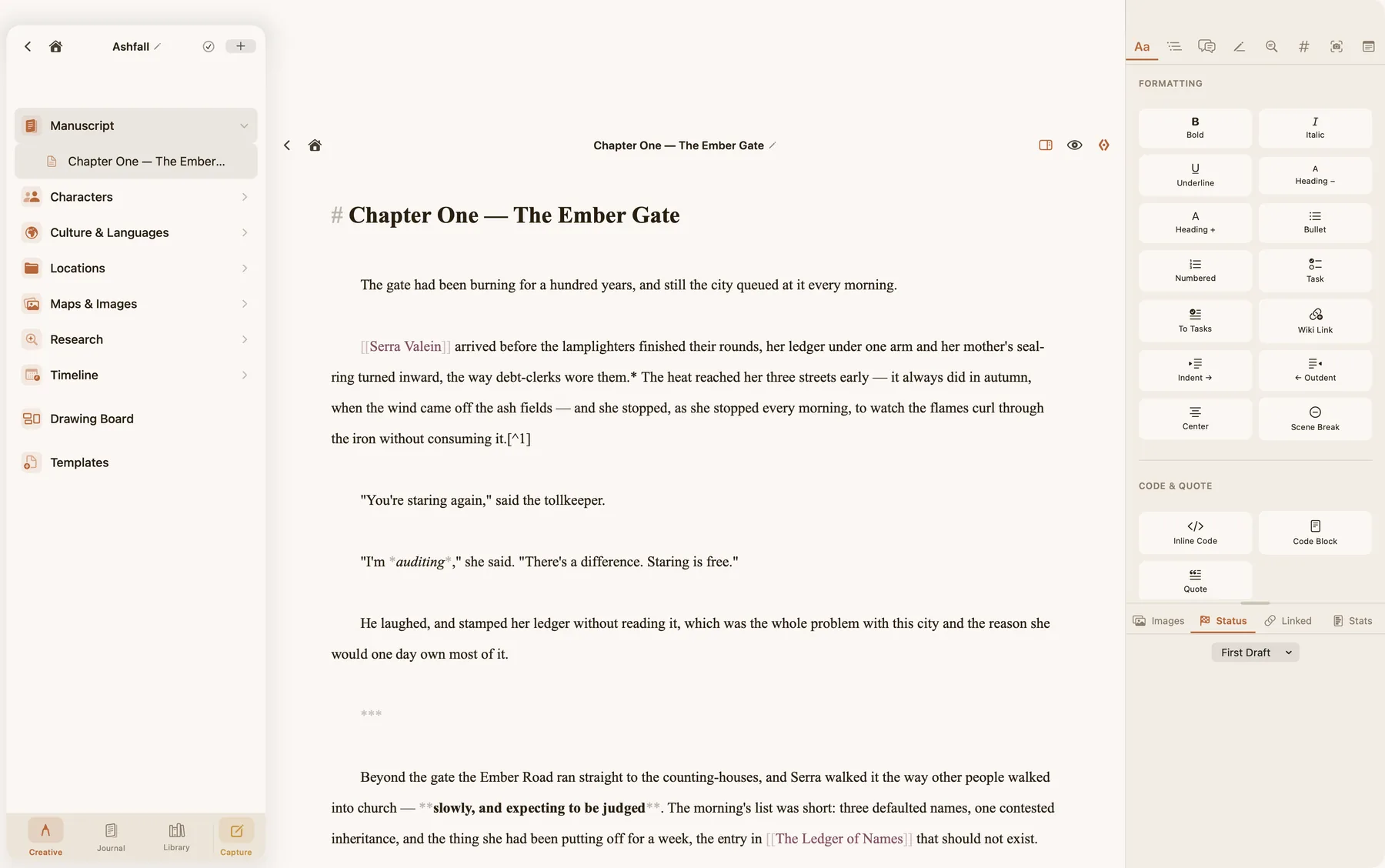
ConTexture on the Mac: a manuscript chapter open beside the project sidebar and the formatting panel

Everything a writer needs

From first draft to finished manuscript, ConTexture keeps your manuscript, characters, research and daily notes in one place — and everything you write from sits in the Library, reachable from any page with a single @.

📚

The Library — every source, one @ away

Everything you write from lives in the Library: sources, character sheets, maps, clippings, PDFs. Type @ on any writing page and the whole Library opens at your cursor — no window to switch, no search box to fill. Pull a reference in mid-sentence and keep writing.

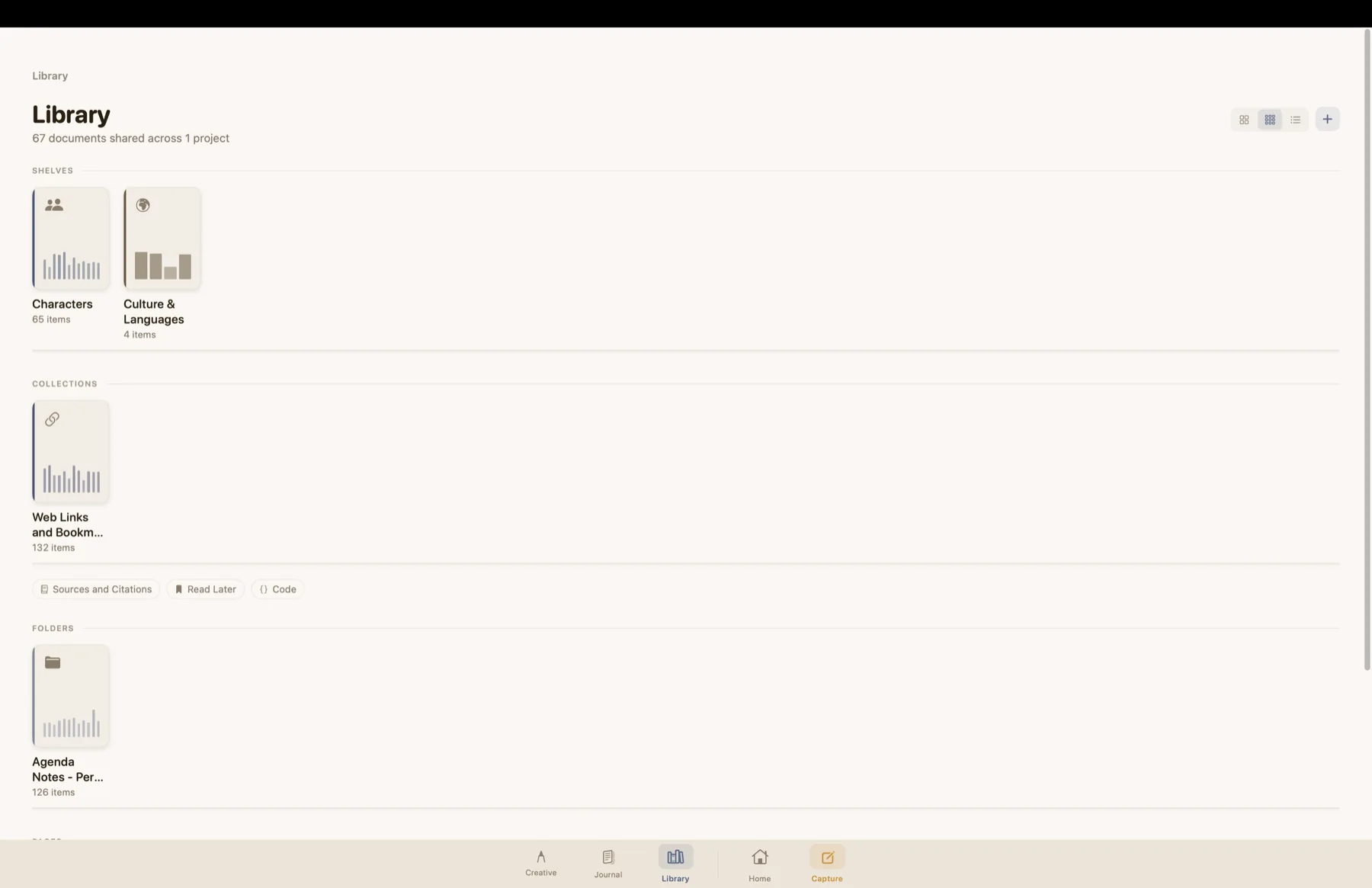
The Library shelf: role shelves with their contents shown as spine bars, collections, and view controls
✍️

Distraction-free editor

A clean, focused writing environment with customisable fonts, line spacing, and column width. Markdown supported throughout.

📁

Project organisation

Organise your work into Creative Writing, Journal, and References workspaces. Nested folders keep even sprawling projects tidy.

🧑‍🎨

Character sheets

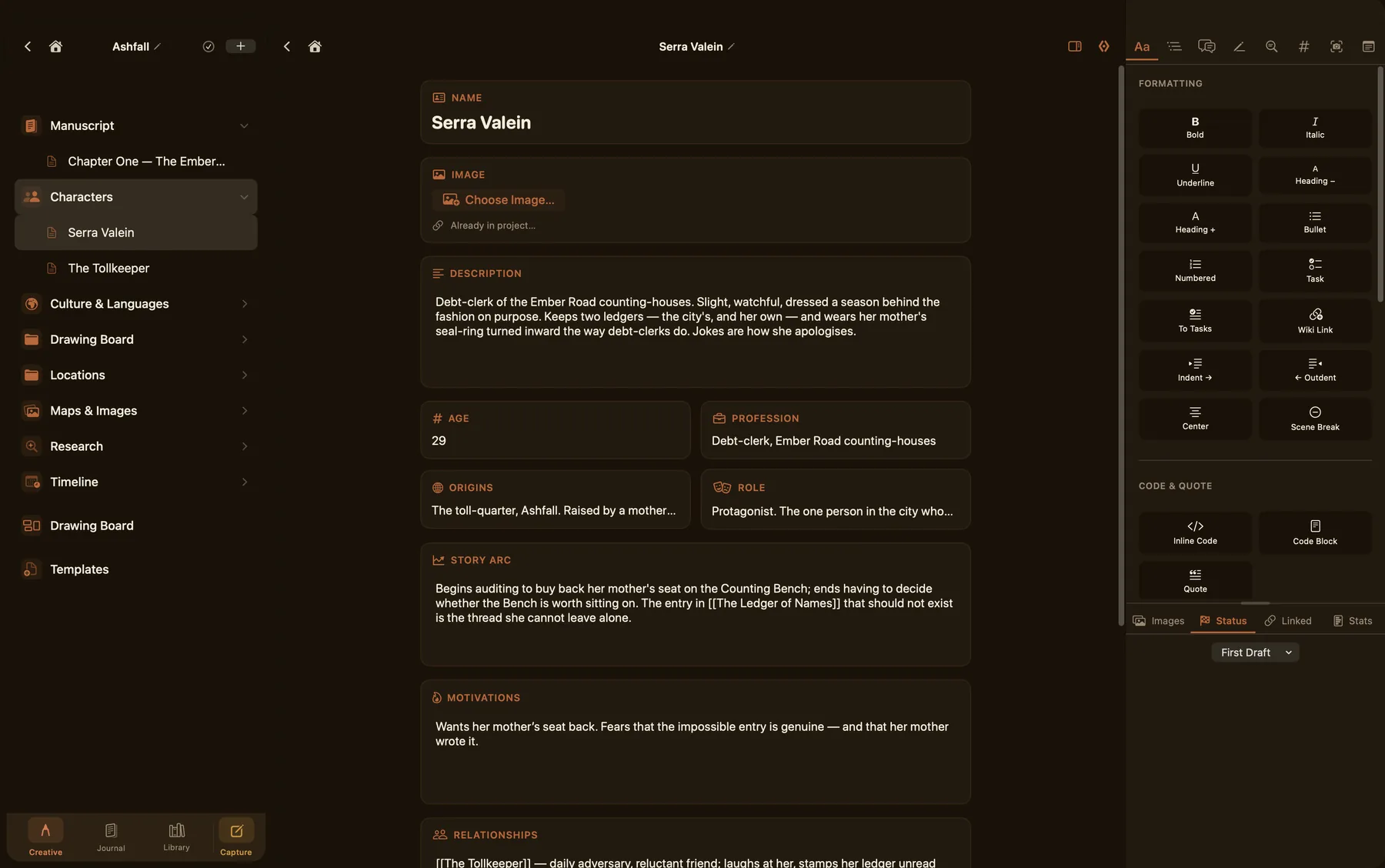
Structured character profiles with image support, relationship links between characters, and markdown notes — all connected to your manuscript.

📅

Daily journal

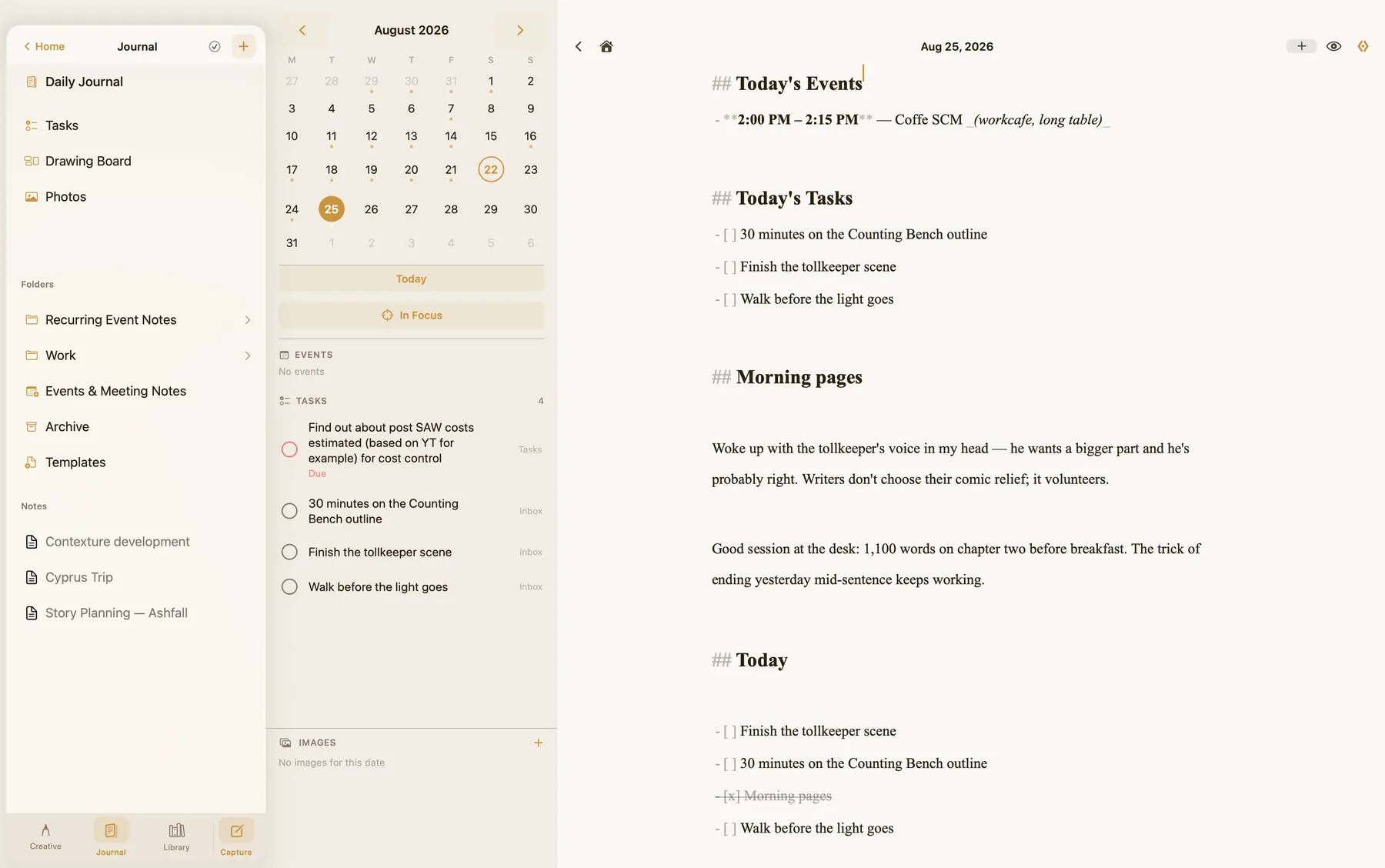
A daily writing space integrated with your Calendar and Reminders. Notes, tasks, and events in one view.

The Journal: calendar, events and tasks beside the daily note
🗺️

Maps & images

Store world maps, reference images, and visual inspiration alongside your writing. Insert images directly into your notes with @mentions.

☁️

iCloud sync

Everything syncs seamlessly across your iPhone, iPad, and Mac via iCloud. Your work is always where you are.

🏠

Pick up where you left off

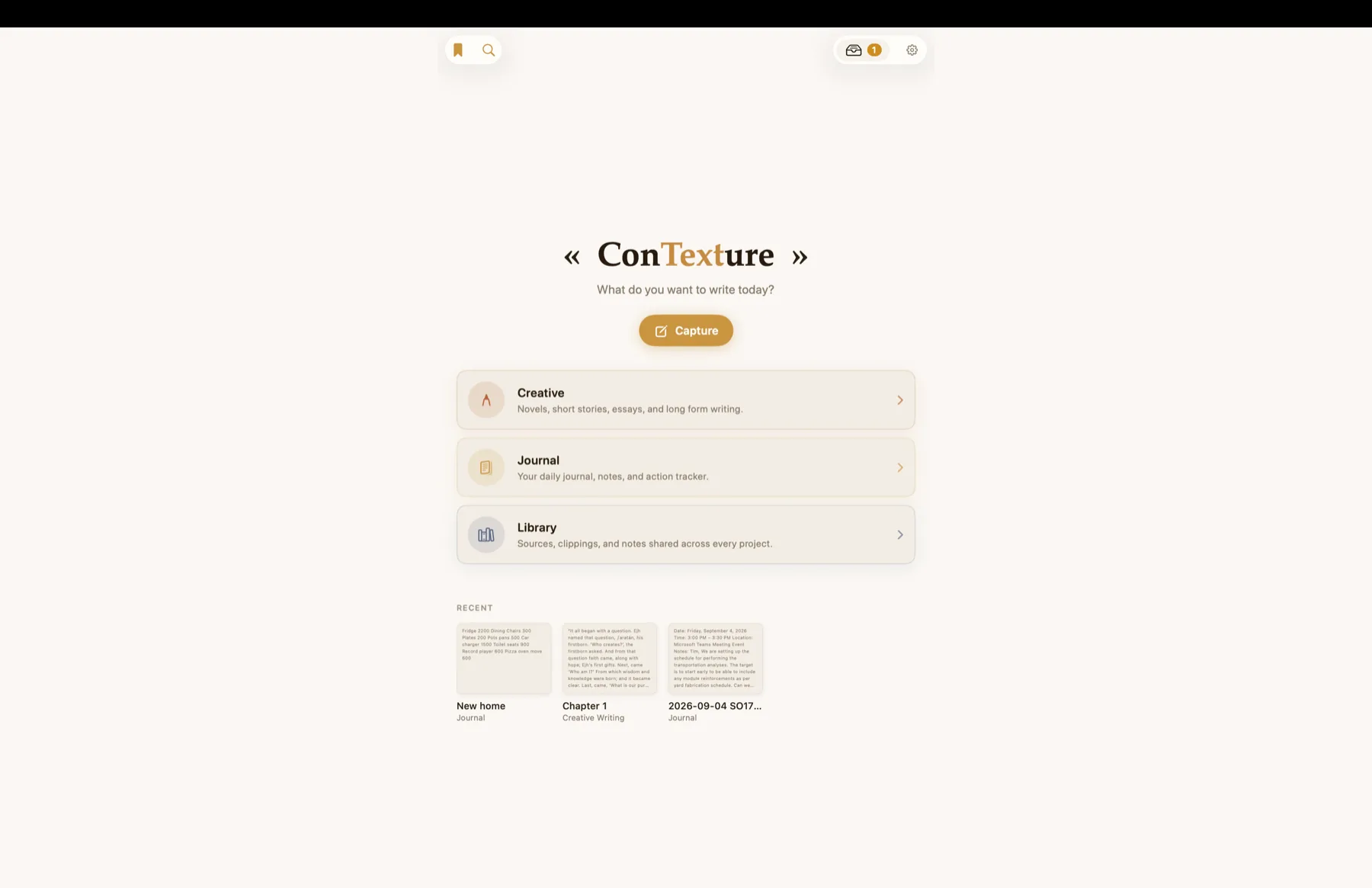
Home shows the three places you work, a Capture button for the thought that won't wait, and a Recent strip with a real preview of each thing you last opened — a chapter, a daily note, a PDF — so you recognise it rather than read it.

The ConTexture home screen: Capture under the title, Creative, Journal and Library, and a Recent strip of previews
⌚

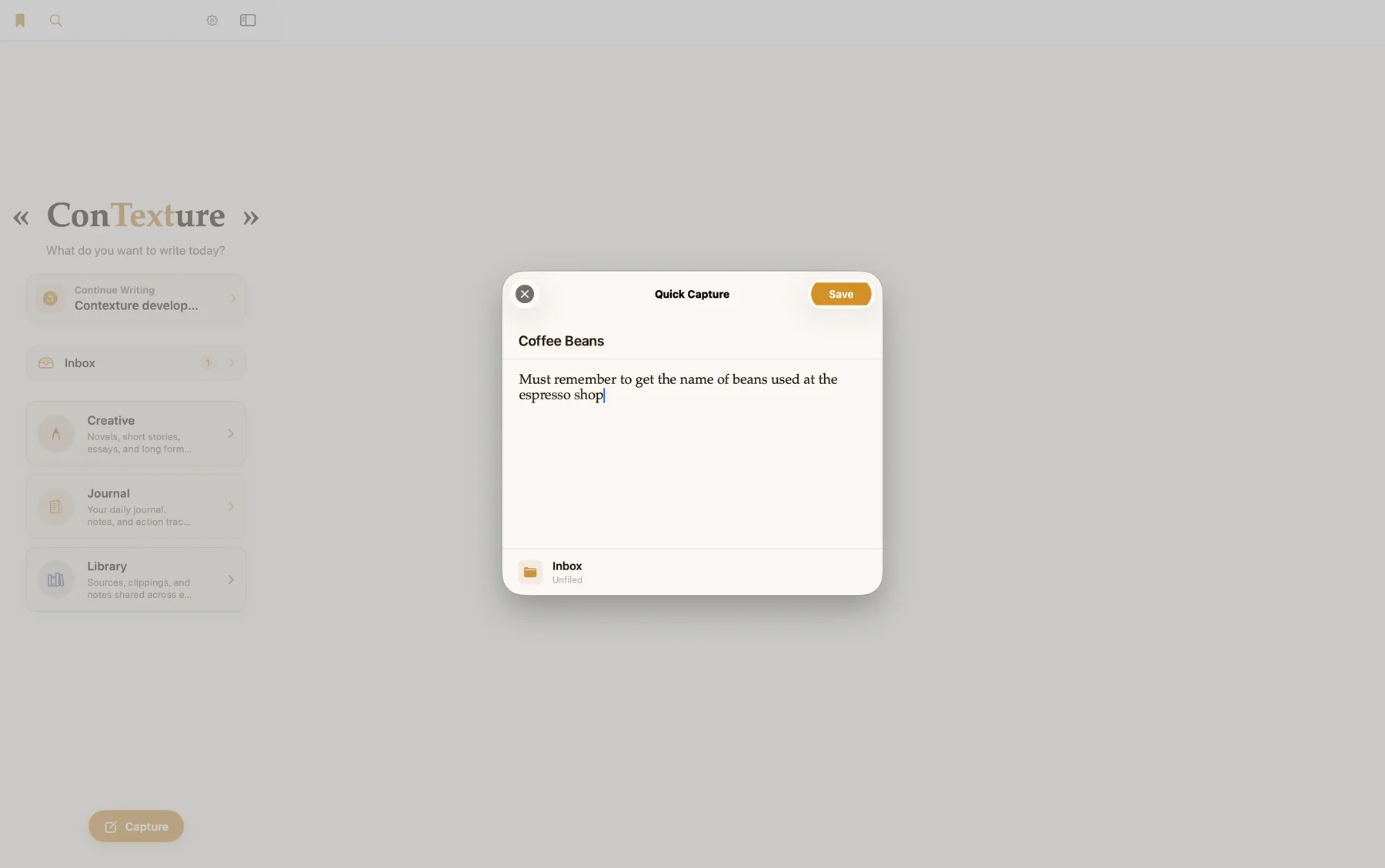
Capture on the go

Dictate a thought from your Apple Watch and it lands in your Inbox — even with your phone out of reach, nothing is lost. Glance today’s note and your In Focus set right from your wrist.

Quick Capture sheet saving a note to the Inbox
The Library

Your research, one keystroke from the page

The Library is where your sources, character sheets, maps and clippings live — and it never makes you leave the sentence you're writing to reach them. Type @ and the whole Library opens at your cursor: every shelf, your project's own characters on top, narrowing as you type. Type [[ to link to any document in it. Open the Library itself and it looks like a shelf, not a file list — PDFs show their first page, notes their opening lines, and every card says which books it belongs to.

  • Summon any source while writing with @ — no window switching, no search box
  • Link, don't copy: one glossary in every book of a series, edited once, correct everywhere
  • Promote a character sheet from a project when a second book needs it
  • Real previews — first pages, opening lines — and gallery, compact or list views
  • PDFs, images, web clippings and Markdown, all on the same shelf

The Library shelf on the Mac: Characters and Culture & Languages shelves with spine bars showing their contents, a Web Links collection, and gallery, compact and list view controls
Creative Writing

All your worlds, in one place

ConTexture gives every project its own space — manuscript chapters, character sheets, research folders, maps, and reference images, connected by wiki links and @mentions — with the Library underneath, shared by every book you write.

  • Wiki links between notes — type [[ to connect anything
  • @mention images directly into your writing
  • Outline view alongside your manuscript
  • Project-level word counts and page status
  • Drag and drop that works like Finder — onto a folder, or anywhere for the project root
A structured character sheet in dark mode: name, image, description, age, profession, story arc, motivations and relationships
The Margin Panel Mac

Context lives beside your words

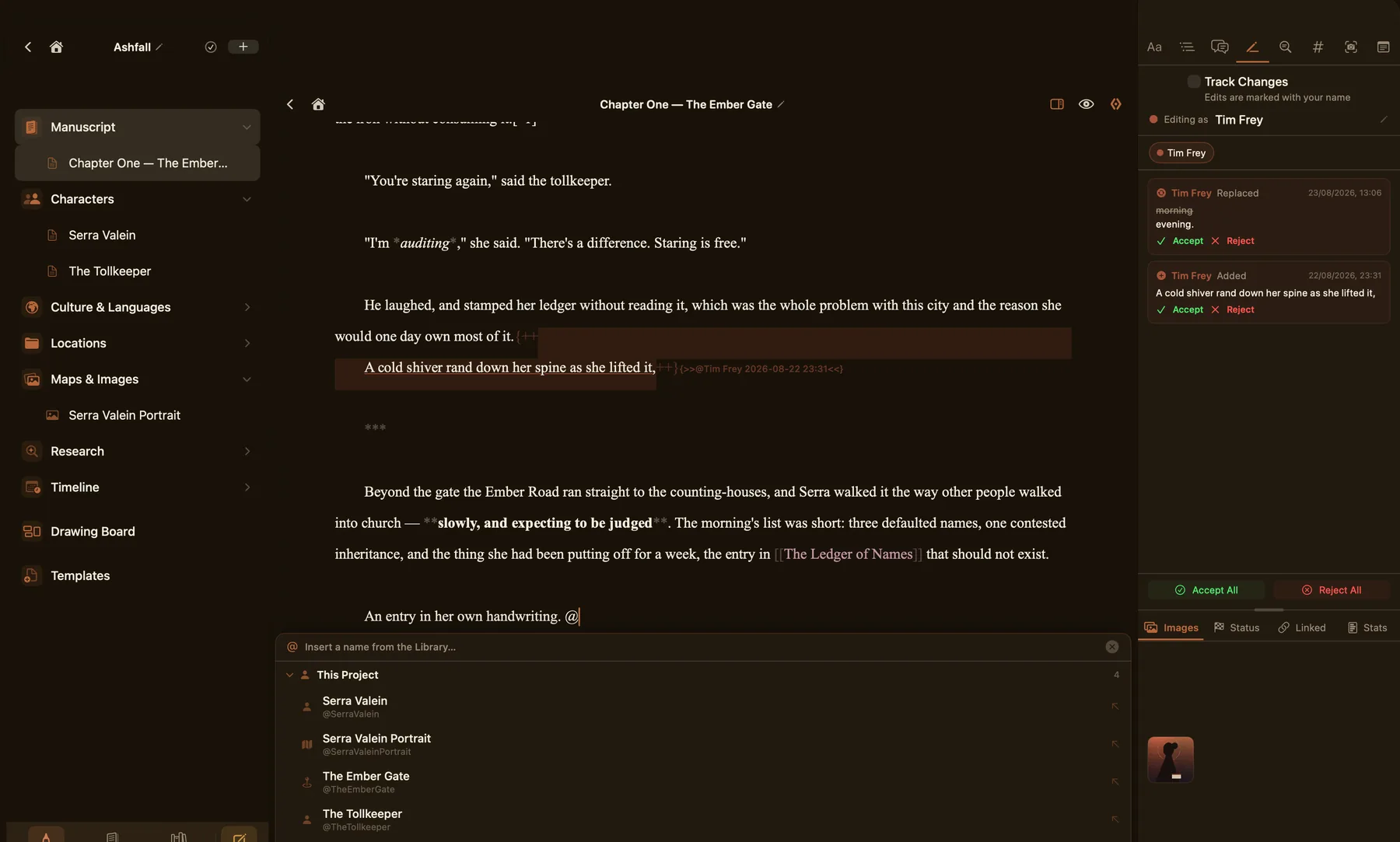
The margin panel keeps formatting, comments, footnotes, linked documents, and images at hand without cluttering your writing space. Switch tabs without leaving the page.

  • Formatting shortcuts — bold, italic, headings, lists, code
  • Inline comments anchored to selected text
  • Footnotes panel with quick insertion
  • Linked documents and image gallery
The margin panel beside a chapter: Track Changes with accept and reject, and tabs for images, status, linked documents and stats
Mac Catalyst

A real Mac app

ConTexture is built with Mac Catalyst — not a scaled-up iPad app. It has a proper menu bar, keyboard shortcuts for every action, sidebar navigation, and side-by-side split editing that feels native on macOS. Light and dark modes follow the system or your own choice, and every screen is designed for both.

  • Full Mac menu bar with File, Edit, Writing, Navigate menus
  • Keyboard shortcuts throughout
  • Split view — a chapter beside its character sheet, or two contexts at once
  • Light and dark modes, designed rather than inverted
  • File → Import .md files from anywhere
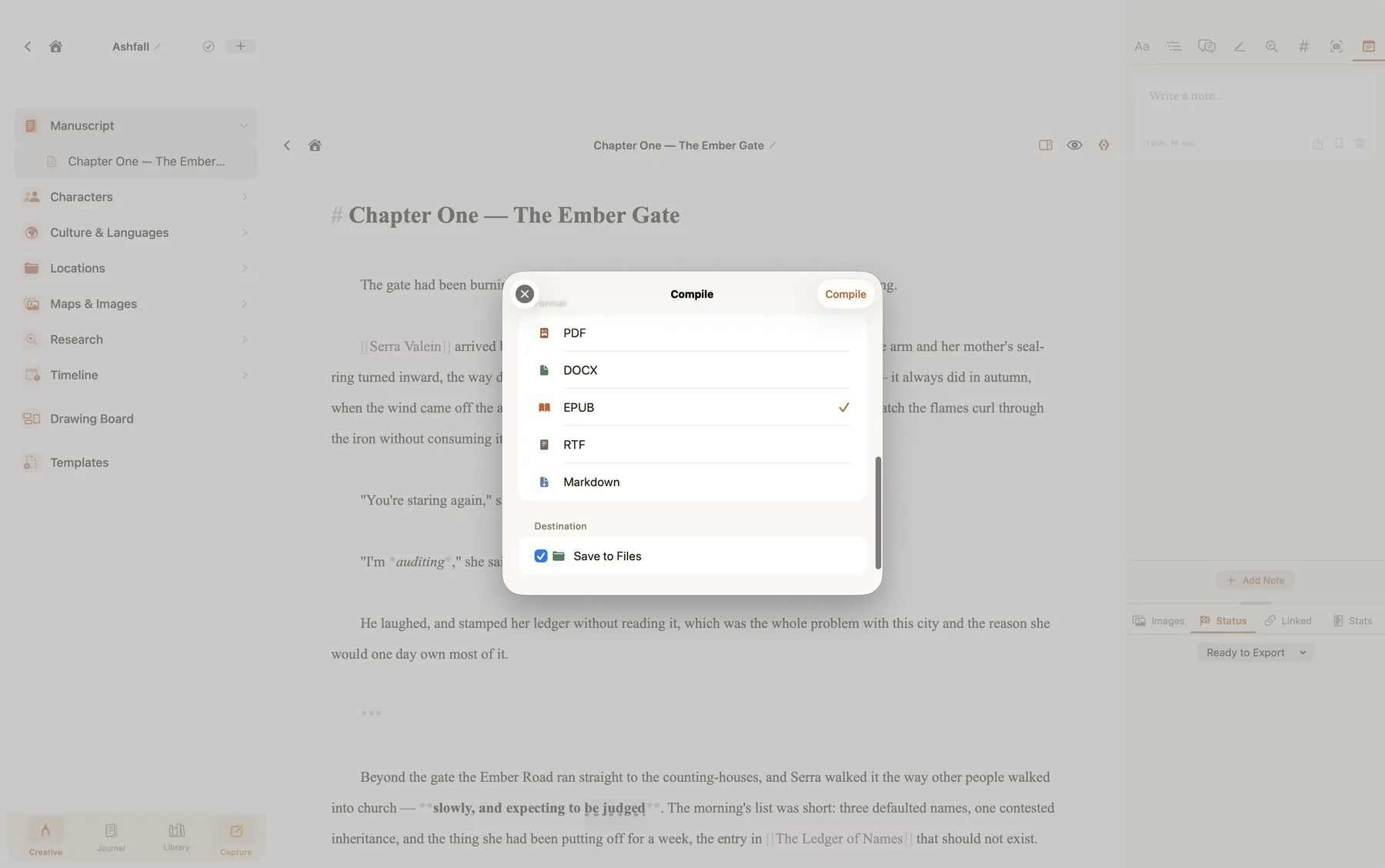
Compile a manuscript to PDF, DOCX, EPUB, RTF or Markdown on the Mac

Start writing today

ConTexture is coming soon to the App Store for iPhone, iPad, Mac, and Apple Watch.

Join the TestFlight beta