Everything ConTexture does, in detail.
A clean, distraction-free editor that gets out of your way — with everything you need always within reach.
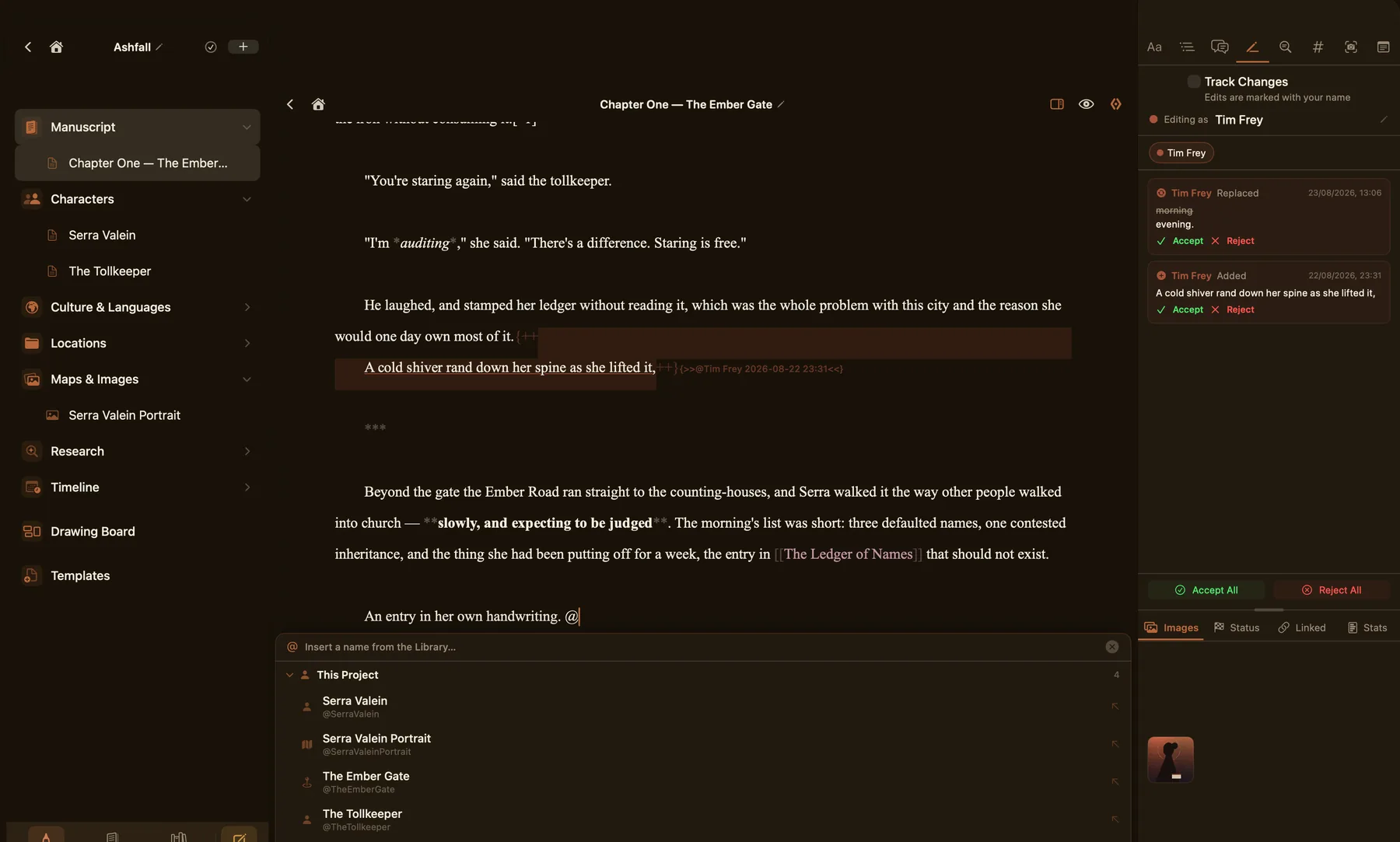
Full Markdown support including headings, bold, italic, underline, inline code, code blocks, quote blocks, bullet lists, numbered lists, and task checkboxes.
Choose from Palatino, New York, Georgia, System, or Monospace. Adjust font size, line spacing, and column width to suit your preference.
Switch between edit and preview modes instantly. Preview renders full Markdown including images, headings, and formatting.
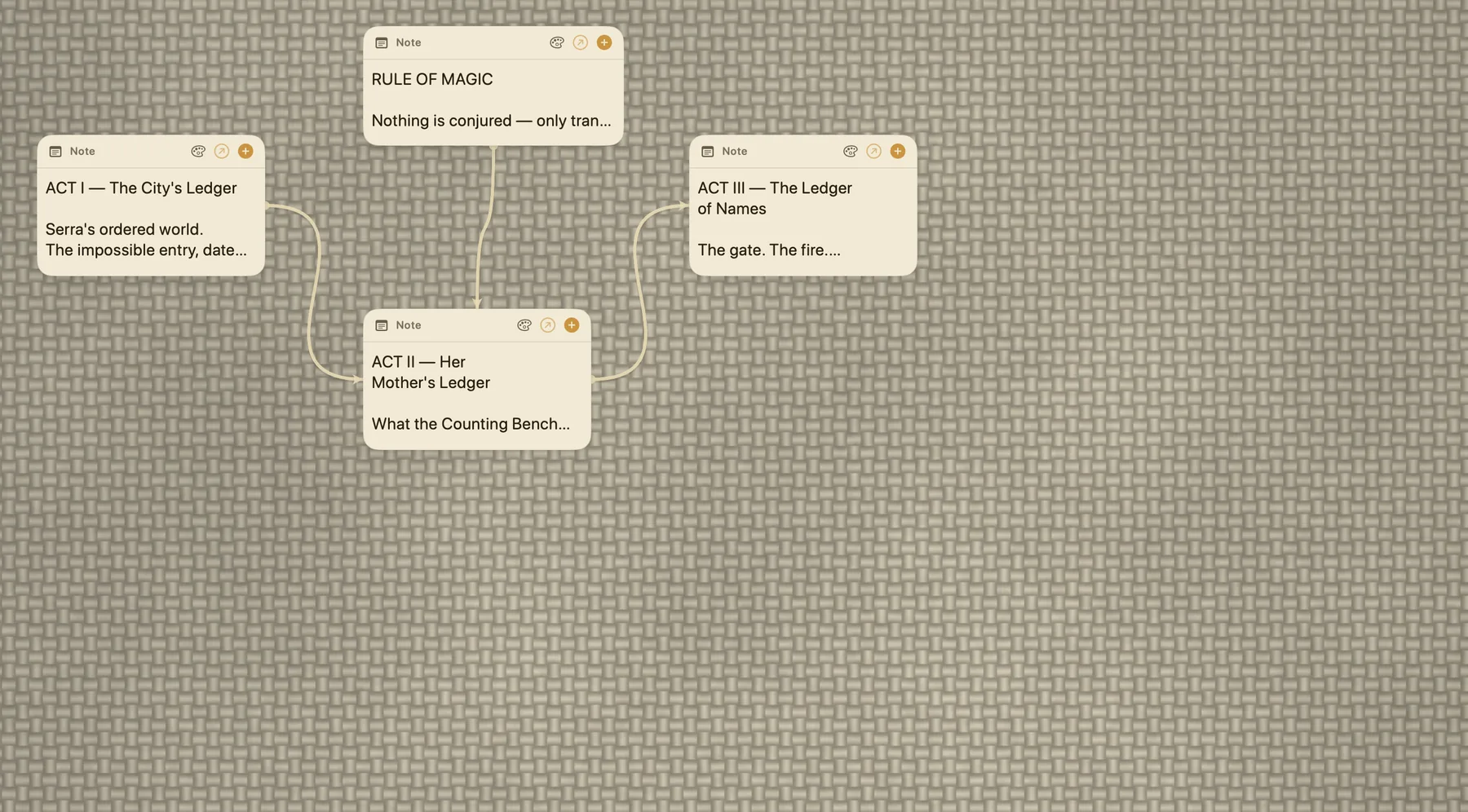
Open a full drawing board directly from within your writing. Sketch a map, diagram a scene, or jot a quick idea visually — all saved alongside your notes.
Type [[ to link any note to any other note in your project. Navigate your world like a wiki — characters, locations, and chapters all connected.
Type @ to reference images, character sheets, or other notes inline. Images insert as Markdown and render in the preview — great for referencing maps and character portraits.
Select any text and add a comment anchored to it. Comments appear in the margin panel alongside your writing for easy review.
Insert and manage footnotes inline. Footnotes are stored as standard Markdown-compatible syntax, readable in any editor.
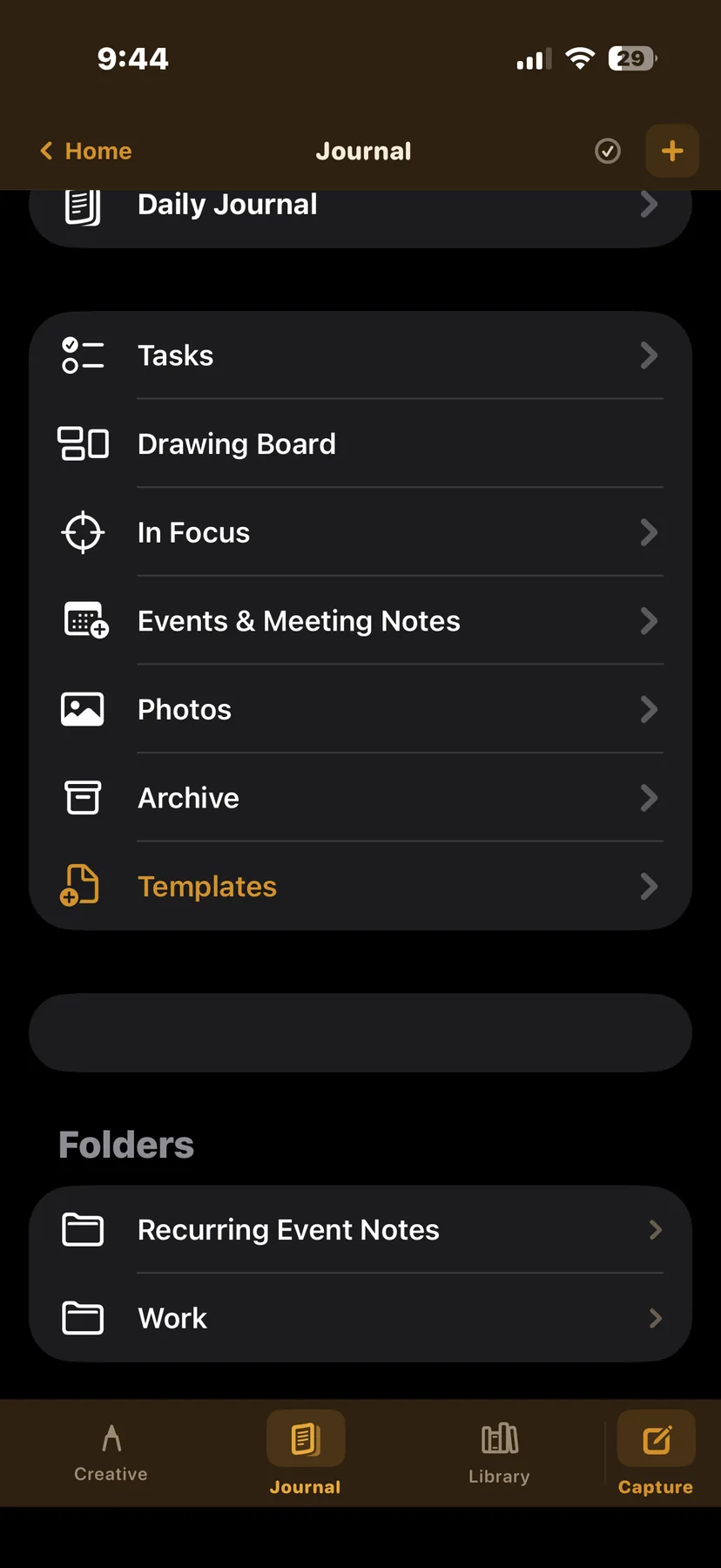
Three workspaces keep different kinds of writing cleanly separated — with a drawing board available throughout.
Longform fiction projects with manuscript chapters, character sheets, outline folders, maps and images, drawing boards, and research notes — all nested under a single project.
Daily writing space with calendar and reminders integration. See your events and tasks alongside your daily note — pull up a drawing board or insert a reminder visible across the app.
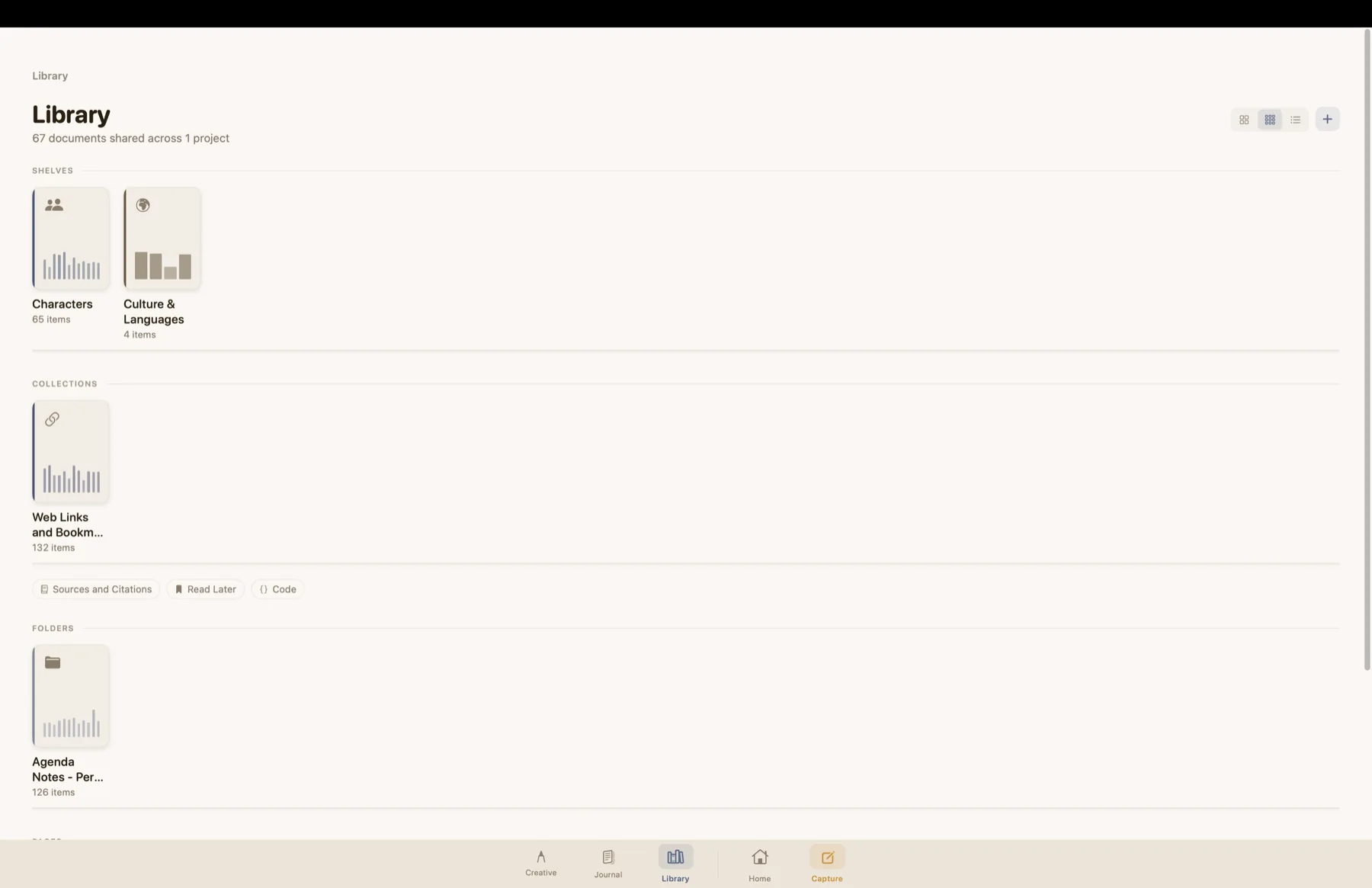
A flat reference library for anything that doesn't belong in a project — writing notes, style guides, research clippings, and saved quotes.
A full freehand drawing canvas available from within any note. Sketch maps, wireframe scenes, visualise timelines, or annotate reference images — saved directly alongside your writing.
Structured character profiles with photo, biography, physical description, personality, relationships, and freeform markdown notes. Link characters to each other and reference them in your manuscript.
Dedicated image folders for world maps, reference photos, and visual inspiration. Import from your photo library and reference images directly in your writing with @mentions.
ConTexture works seamlessly across all your Apple devices — your writing is always where you are.
Full writing experience optimised for one-handed use. Capture ideas, write on the go, and access everything in your projects from your pocket.
Use Split View to open two documents side by side — write in one, reference a character sheet, map, or outline in the other. The margin panel keeps tools always at hand.
A native Mac experience with full menu bar, keyboard shortcuts for every action, sidebar navigation, and side-by-side split editing. Built for serious writing sessions.
Everything syncs automatically across all your devices via iCloud. Start a chapter on your Mac, continue on your iPad, capture an idea on your iPhone — it's all there.
Take your writing anywhere — ConTexture offers export options that most iOS writing apps simply don't.
Export your work as an ePub file — readable on any e-reader, Kindle, Apple Books, or ePub viewer. One of the few iOS writing apps to offer this directly.
Export clean .md files that open perfectly in any Markdown editor. Great for moving work between apps or archiving.
Export with YAML front matter and comments preserved as footnotes — perfect for sharing with another ConTexture user who can import with full fidelity.
Share a note via iCloud file sharing for real-time collaboration. Both people edit the same file live — works with any Markdown editor, no ConTexture required on the other side.
Import any .md or .markdown file from anywhere on your device or iCloud. Choose exactly which project and folder it lands in.
Print any document or export as PDF directly from the app — formatted cleanly and ready to share or archive.
ConTexture is built on the belief that software you pay for should be yours to keep.
Buy ConTexture once and own it. All features available at the time of purchase are yours to keep and use indefinitely — no expiry, no locked features.
For users who want access to every new major release as it comes, a subscription option will also be available — entirely optional, never forced.
Significant new versions of ConTexture will be available as a new purchase. Your existing version keeps working exactly as it did — you only upgrade when you want to.
Pricing details will be announced at launch. TestFlight beta is free.
Download ConTexture on the App Store for iPhone, iPad, and Mac.
Download on App Store